Sindbad~EG File Manager
# Pdf Embed

[](https://wordpress.org/plugins/pdf-embed/) [](https://playground.wordpress.net/?blueprint-url=https://raw.githubusercontent.com/tropicalista/pdf-embed/master/.playground/blueprint.json)
A simple little WordPress block that allows you to embed PDF to your website using official [Adobe Pdf Embed API](https://www.adobe.io/apis/documentcloud/dcsdk/pdf-embed.html). This block requires you to create a **free** api key on Adobe. [Download on WordPress.org](https://wordpress.org/plugins/pdf-embed/)
## Supported Browsers
PDF Embed API is supported on the latest versions of the following browsers:
- Windows - Microsoft Edge, Google Chrome, Mozilla Firefox.
- macOS - Safari, Google Chrome, Microsoft Edge, Mozilla Firefox.
- Android - Google Chrome.
- iOS - Safari, Google Chrome.
## Support for print pdf
PDF printing is currently not supported in Firefox browser. Clicking on the print PDF button will show a popup asking users to download the file and print using Adobe Acrobat Reader.
## Mobile support
Much of what the PDF Embed API delivers is supported in the mobile devices. However, there are some limitations:
- Annotation tools are not supported on phones in Full Window embed mode. These tools are supported on tablets (both Android and iOS).
- Print functionality is unsupported.
- PDF download is unsupported on iOS devices, but it is supported on Android.
## Embed mode
| Embed mode | Description | Example |
|----------------------------|-------------------------------------------------------------------------------------------------------------------------------------|------------------------------|
| Full window (default mode) | Renders the PDF viewer into the full height and width of the parent element. Best suited for storage and productivity applications. |  |
| Sized container | The sized container mode displays PDFs in a boxed container with landscape orientation. Best suited for presentations. | 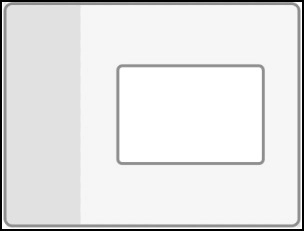 |
| In-Line | All PDF pages rendered in line within a web page. Best suited for reading applications. |  |
| Lightbox | Displays PDFs in a focused view. Best suited for content websites, content portals, and email. |  |
## Requirements
- WordPress 6.0+
- PHP 5.6+
## Development
1. Set up a local WordPress development environment.
2. Clone / download this repository into the `wp-content/plugins` folder.
3. Navigate to the `wp-content/plugins/pdf-embed` folder in the command line.
4. Run `npm install` to install the plugin's dependencies within a `/node_modules/` folder.
5. Run `composer install` to install the additional WordPress composer tools within a `/vendor/` folder.
6. Run `npm run start` to compile and watch source files for changes while developing.
Refer to `package.json` and `composer.json` for additional commands.
Sindbad File Manager Version 1.0, Coded By Sindbad EG ~ The Terrorists